Google Title Rewrites explained with fixes that stick
Google may show a different “title link” than your HTML <title>. Here's why rewrites happen, how to spot them fast, and how to stop the ones that hurt discovery and trust.
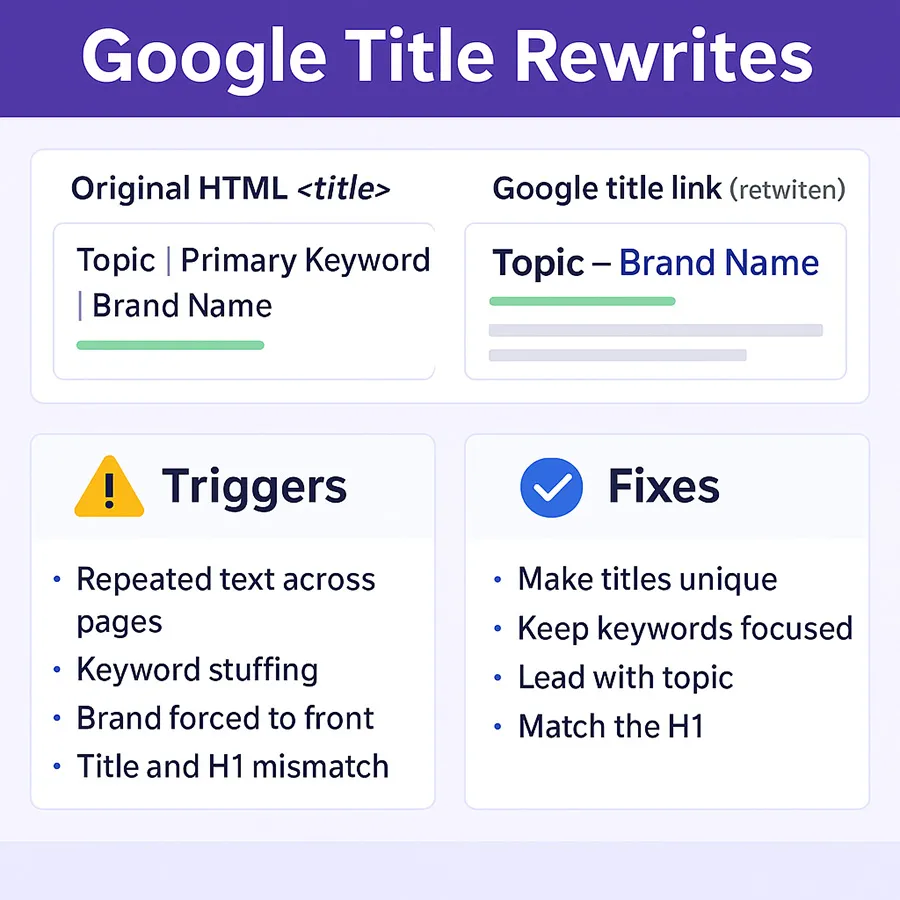
Why title rewrites happen
Google wants a short, clear, page-reflective label. If the supplied <title> looks misleading, repetitive, or weak, Google may build a new one from other hints like the visible H1, strong subheadings, or internal anchor text that points to the page. When topic, H1, and <title> align, rewrite risk drops.
Common triggers
- Boilerplate across many pages with only token changes.
- Overstuffed keyword strings or visual symbols.
- Brand forced to the front when the subject should lead.
- Title contradicts the H1 or primary on-page task.
- All-caps, shouty punctuation, or ad-like phrasing.
How to diagnose rewrites quickly
Compare two things: the exact HTML <title> and the visible “title link” in the results.
Fast checks
- Copy the exact
<title>from page source. - Search your key query and screenshot the visible title link.
- Use
site:+ a unique phrase to surface variants. - In Search Console → Performance, tie query → URL showing the rewrite.
- Use URL Inspection to confirm indexed HTML matches your live title.
Diagnostic table
| Symptom | Likely cause | What to change |
|---|---|---|
| Brand removed or moved to the end | Query intent favors the subject first | Lead with subject; keep to ~55–65 chars |
| Title replaced by H1 | Mismatch or vague wording | Align <title> and H1 in meaning |
| City/category trimmed | Stuffed lists / boilerplate | One location or category per title |
| Pipes/brackets removed | Visual clutter | Prefer simple separators or none |
Log your findings in a simple sheet: URL | supplied title | shown title. Patterns appear fast across 10–20 pages.
Patterns that prevent harmful rewrites
Give Google the label it already aims to show—short, unique, and aligned with the main task.
Durable patterns
- Subject first, brand last for informational pages (e.g., ALP4 Air Management System overview Air Lift).
- Brand first on company/transactional pages where the name is the task.
- Match H1 wording; keep both within one clear idea.
- Write in plain English; one compact clause.
- Remove repeating boilerplate across sections.
Technical helpers
- Add
Organization/WebSiteJSON-LD withname/alternateName(no title stuffing needed). - Use clean breadcrumbs and descriptive internal anchors.
- Keep one H1; avoid multiple title-like headings.
- Write a one-line H1 that captures the page's task.
- Copy that line into
<title>; add brand at the end if space allows. - Trim filler and symbols. Read aloud—if it sounds like a label, you're close.
What helps SEO, AIO, GEO, AEO, and SXO
Short, unique, human-readable titles travel well across traditional search, AI overviews, and assistant answers. They're easier to cite and less likely to be rewritten.
Examples
- Service page
- EV charger installation in Ann Arbor Company Name
- Product page
- Ride height controller ALP4 — features and setup Air Lift
- Resource page
- Warranty registration steps for air suspension kits Air Lift
Internal review prompt
Paste to your audit doc:
Review the 20 URLs below.
1) Paste live <title> and H1
2) Suggest a single new title matching the H1 in ~55–65 chars
3) Place brand at the end unless it's a brand page
Return: URL | New Title
What to avoid
- Repeating the same 2–3 words across hundreds of titles.
- Front-loading brand where subject should lead.
- Jamming multiple cities/models/variants into one line.
- Relying on pipes/brackets/emojis for structure.
- Letting H1 and
<title>point at different tasks.
FAQs
Why did Google change my title?
How do I see the exact rewrite?
<title> with the visible result, screenshot it, and confirm in Search Console + URL Inspection.